
|
|
Products related to Desktops & Laptops |
|
|
|
|
Products related to Apple Systems |
|
|
|
Products related to Apple MacBooks |
|
Products related to Laptops |
|
|
Products related to Desktop PCs |
|
|




|
|
Products related to Gaming |
|
|
|
Products related to PlayStation |
|
|
Products related to Nintendo |
|
|
Products related to Xbox |
|
|
Products related to PC |
|
|
|
Products related to Razer Products |
|
|

|
|
Products related to Accessories |
|
|
|
Products related to Cables & Adapters |
|
|
Products related to Consumables |
|
|































































































































































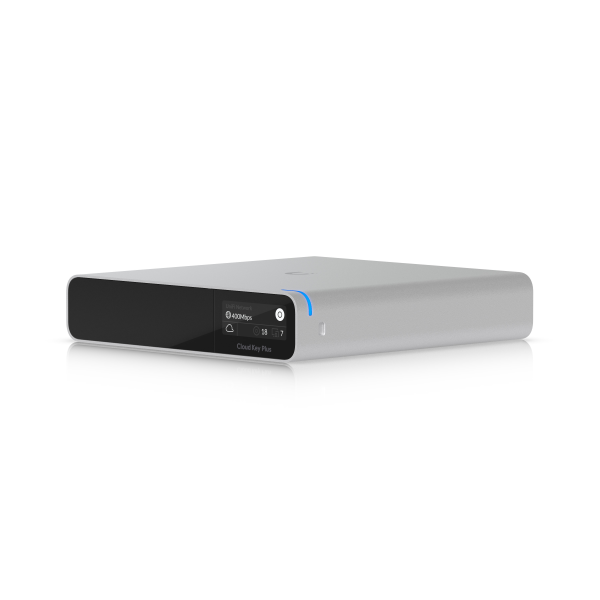
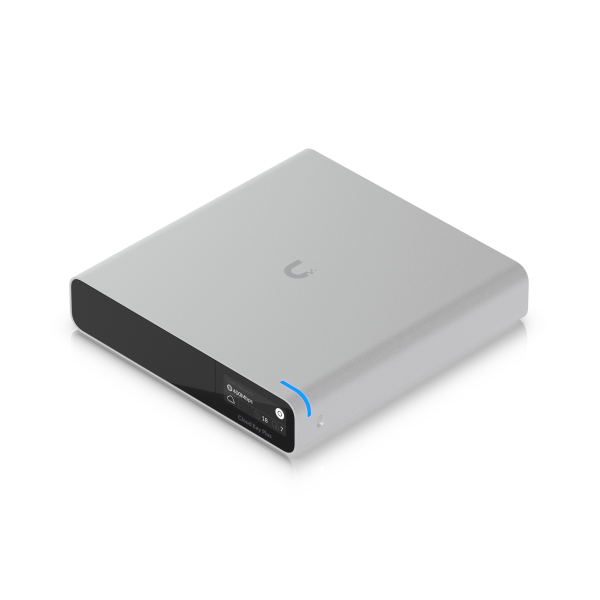
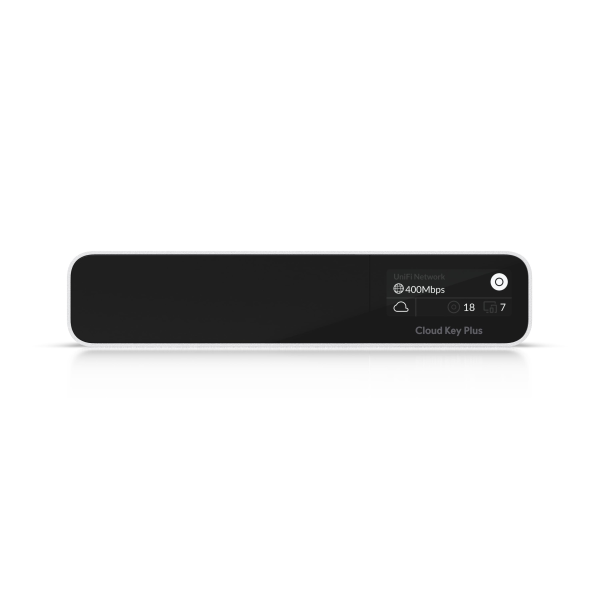
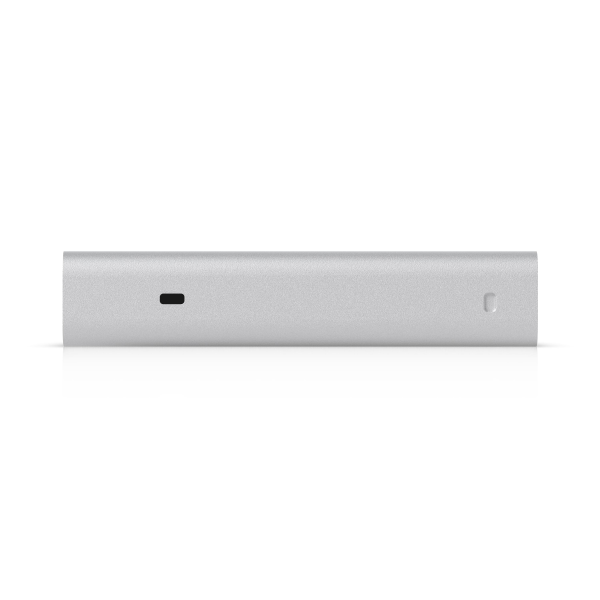
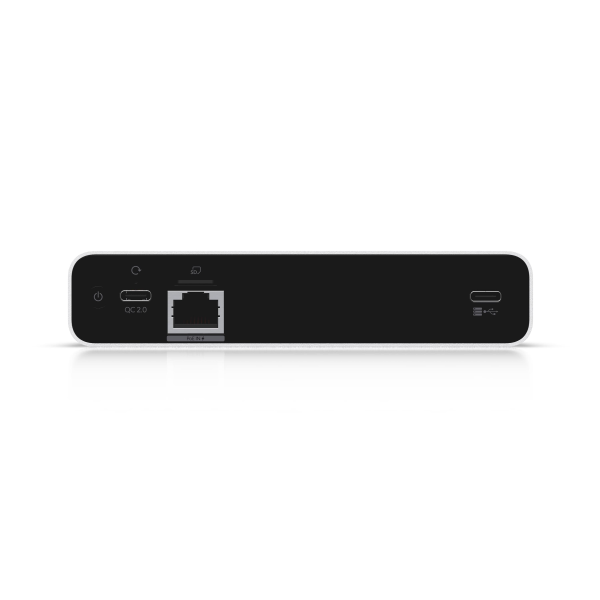
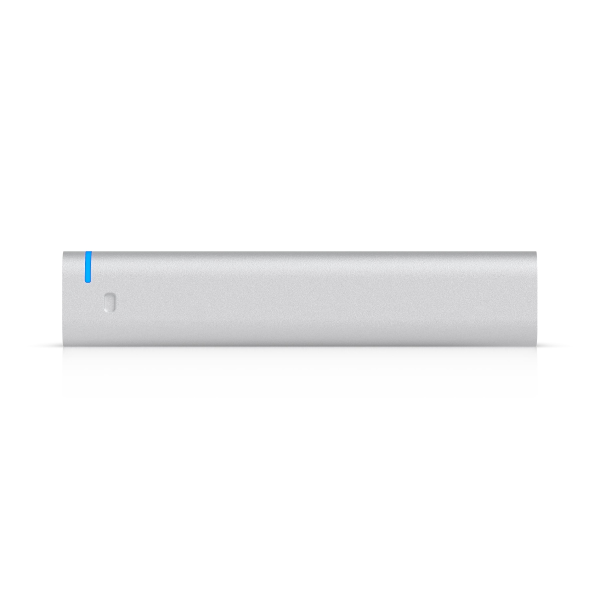
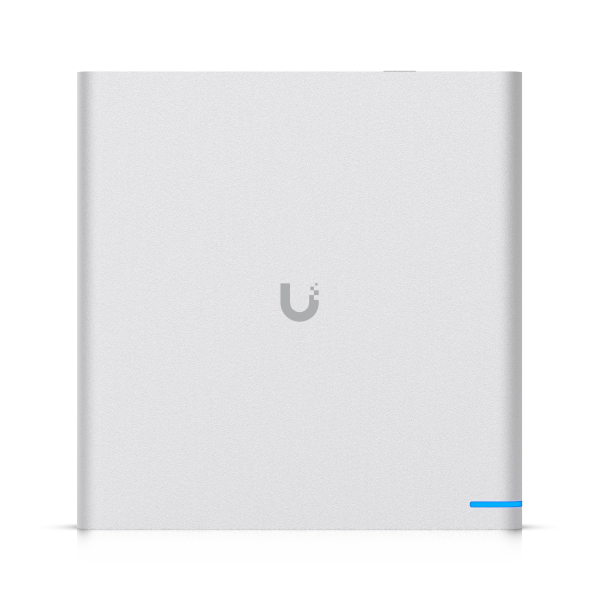
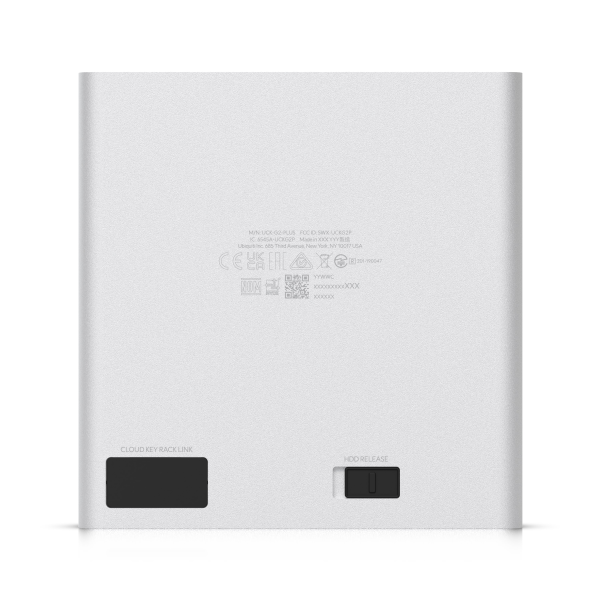
Model: UCK-G2-SSD
SKU Code: 0036846
Ubiquiti UniFi CloudKey+ 1TB SSD
In stock
In Stock - Currently online only
€279.00
Offers available in Stores only
 €251.10
 €8.29 per month for
36 months with selected GO plans.
€0.00 upfront, 0% interest
& 3-year warranty. *
€8.29 per month for
36 months with selected GO plans.
€0.00 upfront, 0% interest
& 3-year warranty. *
Description
Overview
The UniFi Cloud Key Plus Gen 2 from Ubiquiti Networks is an integrated hardware controller and self-contained application server designed to monitor and manage your UniFi network devices and camera surveillance system.
The UniFi Cloud Key Gen2 Plus features an eight-core processor with 3GB of RAM and 32GB eMMC flash storage. It comes with a 1TB 2.5" SATA solid-state drive already installed that can be upgraded if needed. There is a Gigabit Ethernet port, which supports 802.3af PoE. You can also power the device via the USB-C port with QuickCharge 2.0 technology.
The UniFi Cloud Key Gen2 Plus can configure and manage up to 20 UniFi cameras in UniFi Protect mode. It can also manage and configure up to 15 UniFi cameras and 50 UniFi devices in UniFi SDN + UniFi Protect mode.
The Ubiquiti hybrid cloud configuration provides a secure, private SSO (Single Sign-On) to access all of your UniFi deployments from anywhere in the world. With the hybrid cloud, a third-party hosted cloud service is not required, so all your personal data remains local and secure.
UniFi Protect
Easy Setup
Using a standard web browser or Bluetooth setup from your mobile device, deployment of your UniFi Protect controller can be set up and configured in a matter of minutes.
User Interface
Accessible from a web browser, the UniFi Protect was designed to be easy-to-use yet packed with advanced features. The UniFi Protect interface is intuitive and loaded with powerful features, such as statistical reporting, multiple live views options, versatile camera settings, advanced analytics, and customizable event recordings.
Plug and Play Installation
Automatic camera detection in UniFi Protect makes it easy to install and deploy cameras. All of the camera settings are integrated into the software. You can also configure, reboot, or upgrade the firmware on any camera from within the UniFi Protect interface.
Additional Live Views
Playlists can be created with a configurable live camera feed rotation. Define the cameras you want included in the playlist and how long you want them to appear on the screen before moving on to the next live feed.
Mobile App
The downloadable app provides free remote cloud access to your UniFi Protect system. It also allows you to securely access video recordings that are privately stored on the Cloud Key Gen2 Plus and not a third-party server or internet cloud.
Live View
View up to 20 live camera feeds in a single window. With basic and advanced template options available, choose the live view template that's right for you.
Time Lapse
The Time Lapse feature allows you to scroll through video events and recordings quickly and efficiently. Now you can sift through hundreds of hours of video in just minutes.
Events
Video recordings are stored privately on the Cloud Key Gen2 Plus. With a built-in 1TB SSD, you can retain hundreds of recording hours without third-party storage or online digital footprints.
UniFi SDN Controller
Multi-Site Management
A UniFi Cloud Key Gen2 Plus installed at each deployment site provides an always-on, private UniFi cloud service. Every site is accessible through its assigned secure SSO. Each Cloud Key Gen2 Plus is independent with its own network monitoring, configuration, maps, statistics, and admin accounts.
Improved User Experience
Redesigned to be more intuitive and easier to navigate, the UI raises the bar for enterprise network management efficiency. Important network details are logically organized for a simplified, yet powerful, interface.
Network Overview
A comprehensive overview of your network health is readily available in the dashboard. Monitor your network's vitals and make on the fly adjustments as needed.
Detailed Analytics
Use the configurable reporting and analytics to monitor large user groups and expedite troubleshooting.
LAN/WLAN Groups
The UniFi SDN Controller can manage flexible configurations of large deployments. Create multiple LAN and WLAN groups and assign them to the respective UniFi devices.
Wi-Fi Management
Use the UniFi SDN Controller to provision UniFi APs, configure wireless networks, map out networks, and quickly manage system traffic. Powerful Wi-Fi management features include:
- RF monitoring and device mapping
- Detailed RF performance analysis
- Band steering support
- Guest portal/hotspot support
Router and Switch Management
Use the UniFi Controller to provision UniFi Security Gateways and Switches. Configure a variety of features:
- WAN/LAN/VLAN configuration
- Operation mode (switching, mirroring, or aggregate) per port
- PoE setting per port (device dependent)
- Jumbo frame and flow control services
- Monitor and analyze performance of each port
Dashboard
UniFi provides a visual representation of your network's status and delivers basic information about each network segment.
SDN Mobile App
The downloadable app provides free remote cloud access to your UniFi Controller. It also allows you to analyze and manage the health and traffic of your UniFi network from anywhere in the world using your single sign-on Ubiquiti account.
Statistics
The Statistics tab provides a visual representation of the network clients and network traffic carried by your managed UniFi Switches and APs.
Specifications
Technical Specifications
Dimensions: 131.2 x 27.1 x 134.2 mm (5.2 x 1.1 x 5.3")
UniFi Application Suite:
- Network: ✓
- Protect: ✓
- Access: ✓
- Talk: ✓
- Connect: ✓
Managed Cameras:
- (24) HD
- (14) 2K
- (8) 4K
Managed Access Hubs: 80
Networking Interface: (1) GbE RJ45
Form Factor: Compact Desktop
Hardware
Hard Drive Capacity: 1 TB 2.5" SATA SSD (User-upgradeable)
Max. Power Consumption: 9.6W
Power Method: PoE; USB-C power with Quick charge 2.0/3.0 power adapter, 9V DC, 2A (Optional)
Processor: Octa-core Arm® Cortex®-A53 based chip
Memory: 32 GB eMMC; 3 GB RAM
Management: Ethernet; Bluetooth
Display: 1.42" gray-scale OLED
Weight: 560 g (1.2 lb)
Enclosure Material: Anodized Aluminum
Ambient Operating Temperature: 0 to 35° C (32 to 95° F)
Ambient Operating Humidity: 20 to 80% noncondensing
NDAA Compliant: ✓
Certifications: CE, FCC, IC, Anatel, SRRC
GO Easy Buy
To enjoy these deals, simply subscribe to one of GO's Freedom Plans or Home
Packs.
If you’re new to GO and would like to take advantage of the Easy Buy option, you must have a valid Maltese ID card or local ID residency card, have an account with a local bank, provide copies of your last 3 full-time payslips (1 per month) or last 6 months postpaid bills with Epic/Melita, paid in full and on time.
To confirm your eligibility, please visit one of our stores.
For any questions regarding your eligibility or the required documents, you may also contact us via email.
Please note that email responses are for informational purposes only and do not constitute a guarantee of eligibility.
Final approval and pricing are subject to verification during your in-store visit.
Easy Buy Terms & Conditions
If you’re new to GO and would like to take advantage of the Easy Buy option, you must have a valid Maltese ID card or local ID residency card, have an account with a local bank, provide copies of your last 3 full-time payslips (1 per month) or last 6 months postpaid bills with Epic/Melita, paid in full and on time.
To confirm your eligibility, please visit one of our stores.
For any questions regarding your eligibility or the required documents, you may also contact us via email.
Please note that email responses are for informational purposes only and do not constitute a guarantee of eligibility.
Final approval and pricing are subject to verification during your in-store visit.
Easy Buy Terms & Conditions
Warranty and Returns Policy
Model: UCK-G2-SSD
SKU Code: 0036846
Ubiquiti UniFi CloudKey+ 1TB SSD
€279.00
Offers available in Stores only
€251.10
€8.29 per month for 36 months with selected
GO plans. €0.00 upfront, 0% interest & 3-year
warranty. *
In stock
In Stock - Currently online only
Description
Overview
The UniFi Cloud Key Plus Gen 2 from Ubiquiti Networks is an integrated hardware controller and self-contained application server designed to monitor and manage your UniFi network devices and camera surveillance system.
The UniFi Cloud Key Gen2 Plus features an eight-core processor with 3GB of RAM and 32GB eMMC flash storage. It comes with a 1TB 2.5" SATA solid-state drive already installed that can be upgraded if needed. There is a Gigabit Ethernet port, which supports 802.3af PoE. You can also power the device via the USB-C port with QuickCharge 2.0 technology.
The UniFi Cloud Key Gen2 Plus can configure and manage up to 20 UniFi cameras in UniFi Protect mode. It can also manage and configure up to 15 UniFi cameras and 50 UniFi devices in UniFi SDN + UniFi Protect mode.
The Ubiquiti hybrid cloud configuration provides a secure, private SSO (Single Sign-On) to access all of your UniFi deployments from anywhere in the world. With the hybrid cloud, a third-party hosted cloud service is not required, so all your personal data remains local and secure.
UniFi Protect
Easy Setup
Using a standard web browser or Bluetooth setup from your mobile device, deployment of your UniFi Protect controller can be set up and configured in a matter of minutes.
User Interface
Accessible from a web browser, the UniFi Protect was designed to be easy-to-use yet packed with advanced features. The UniFi Protect interface is intuitive and loaded with powerful features, such as statistical reporting, multiple live views options, versatile camera settings, advanced analytics, and customizable event recordings.
Plug and Play Installation
Automatic camera detection in UniFi Protect makes it easy to install and deploy cameras. All of the camera settings are integrated into the software. You can also configure, reboot, or upgrade the firmware on any camera from within the UniFi Protect interface.
Additional Live Views
Playlists can be created with a configurable live camera feed rotation. Define the cameras you want included in the playlist and how long you want them to appear on the screen before moving on to the next live feed.
Mobile App
The downloadable app provides free remote cloud access to your UniFi Protect system. It also allows you to securely access video recordings that are privately stored on the Cloud Key Gen2 Plus and not a third-party server or internet cloud.
Live View
View up to 20 live camera feeds in a single window. With basic and advanced template options available, choose the live view template that's right for you.
Time Lapse
The Time Lapse feature allows you to scroll through video events and recordings quickly and efficiently. Now you can sift through hundreds of hours of video in just minutes.
Events
Video recordings are stored privately on the Cloud Key Gen2 Plus. With a built-in 1TB SSD, you can retain hundreds of recording hours without third-party storage or online digital footprints.
UniFi SDN Controller
Multi-Site Management
A UniFi Cloud Key Gen2 Plus installed at each deployment site provides an always-on, private UniFi cloud service. Every site is accessible through its assigned secure SSO. Each Cloud Key Gen2 Plus is independent with its own network monitoring, configuration, maps, statistics, and admin accounts.
Improved User Experience
Redesigned to be more intuitive and easier to navigate, the UI raises the bar for enterprise network management efficiency. Important network details are logically organized for a simplified, yet powerful, interface.
Network Overview
A comprehensive overview of your network health is readily available in the dashboard. Monitor your network's vitals and make on the fly adjustments as needed.
Detailed Analytics
Use the configurable reporting and analytics to monitor large user groups and expedite troubleshooting.
LAN/WLAN Groups
The UniFi SDN Controller can manage flexible configurations of large deployments. Create multiple LAN and WLAN groups and assign them to the respective UniFi devices.
Wi-Fi Management
Use the UniFi SDN Controller to provision UniFi APs, configure wireless networks, map out networks, and quickly manage system traffic. Powerful Wi-Fi management features include:
- RF monitoring and device mapping
- Detailed RF performance analysis
- Band steering support
- Guest portal/hotspot support
Router and Switch Management
Use the UniFi Controller to provision UniFi Security Gateways and Switches. Configure a variety of features:
- WAN/LAN/VLAN configuration
- Operation mode (switching, mirroring, or aggregate) per port
- PoE setting per port (device dependent)
- Jumbo frame and flow control services
- Monitor and analyze performance of each port
Dashboard
UniFi provides a visual representation of your network's status and delivers basic information about each network segment.
SDN Mobile App
The downloadable app provides free remote cloud access to your UniFi Controller. It also allows you to analyze and manage the health and traffic of your UniFi network from anywhere in the world using your single sign-on Ubiquiti account.
Statistics
The Statistics tab provides a visual representation of the network clients and network traffic carried by your managed UniFi Switches and APs.
Specifications
Technical Specifications
Dimensions: 131.2 x 27.1 x 134.2 mm (5.2 x 1.1 x 5.3")
UniFi Application Suite:
- Network: ✓
- Protect: ✓
- Access: ✓
- Talk: ✓
- Connect: ✓
Managed Cameras:
- (24) HD
- (14) 2K
- (8) 4K
Managed Access Hubs: 80
Networking Interface: (1) GbE RJ45
Form Factor: Compact Desktop
Hardware
Hard Drive Capacity: 1 TB 2.5" SATA SSD (User-upgradeable)
Max. Power Consumption: 9.6W
Power Method: PoE; USB-C power with Quick charge 2.0/3.0 power adapter, 9V DC, 2A (Optional)
Processor: Octa-core Arm® Cortex®-A53 based chip
Memory: 32 GB eMMC; 3 GB RAM
Management: Ethernet; Bluetooth
Display: 1.42" gray-scale OLED
Weight: 560 g (1.2 lb)
Enclosure Material: Anodized Aluminum
Ambient Operating Temperature: 0 to 35° C (32 to 95° F)
Ambient Operating Humidity: 20 to 80% noncondensing
NDAA Compliant: ✓
Certifications: CE, FCC, IC, Anatel, SRRC
GO Easy Buy
To enjoy these deals, simply subscribe to one of GO's Freedom Plans or Home Packs.
If you’re new to GO and would like to take advantage of the Easy Buy option, you must have a valid Maltese ID card or local ID residency card, have an account with a local bank, provide copies of your last 3 full-time payslips (1 per month) or last 6 months postpaid bills with Epic/Melita, paid in full and on time.
To confirm your eligibility, please visit one of our stores.
For any questions regarding your eligibility or the required documents, you may also contact us via email.
Please note that email responses are for informational purposes only and do not constitute a guarantee of eligibility.
Final approval and pricing are subject to verification during your in-store visit.
Easy Buy Terms & Conditions
If you’re new to GO and would like to take advantage of the Easy Buy option, you must have a valid Maltese ID card or local ID residency card, have an account with a local bank, provide copies of your last 3 full-time payslips (1 per month) or last 6 months postpaid bills with Epic/Melita, paid in full and on time.
To confirm your eligibility, please visit one of our stores.
For any questions regarding your eligibility or the required documents, you may also contact us via email.
Please note that email responses are for informational purposes only and do not constitute a guarantee of eligibility.
Final approval and pricing are subject to verification during your in-store visit.
Easy Buy Terms & Conditions